General
Basic parameters for processing TCP traffic in a set.
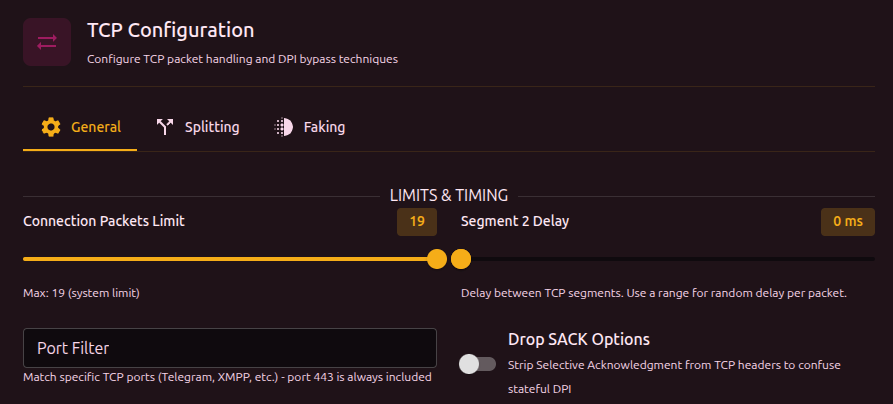
TCP per-connection packet limit
How many packets at the start of each connection to analyze. After that limit, packets pass without modification. The TLS handshake (ClientHello) normally happens in the first 3-5 packets, so processing the whole connection is not needed.
This value cannot exceed the global limit in Settings, Core, Packet Engine. If a higher value is set here, the global limit is used instead.
Inter-packet delay (Seg2Delay)
Delay (ms) between sending fragments. Specified as a min-max range - each connection picks a random value from the range. When min and max are equal, the delay is fixed.
Port filter
Limits the destination ports this set applies to. iptables-style format: 443 or 443,80.
At the firewall level, b4 always intercepts port 443 traffic. Any extra ports listed in sets are added to the intercept. The port filter in a set narrows down what this particular set applies to, not what b4 processes globally.
Drop SACK
Removes the Selective Acknowledgment option from TCP packets. SACK helps the server and client retransmit lost fragments efficiently - some DPI systems use SACK to reassemble fragments in order.
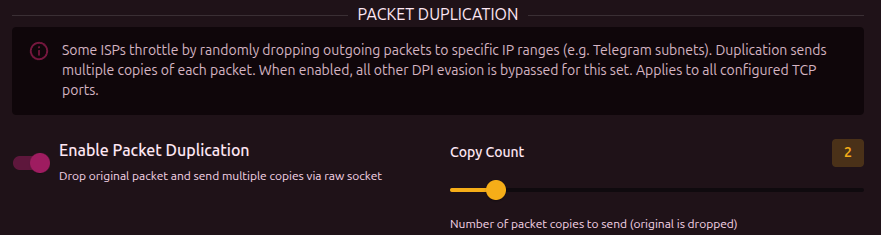
Packet duplication
Sends each packet several times (1-10 copies). Useful when the provider drops some packets on anomaly detection.
MSS Clamping
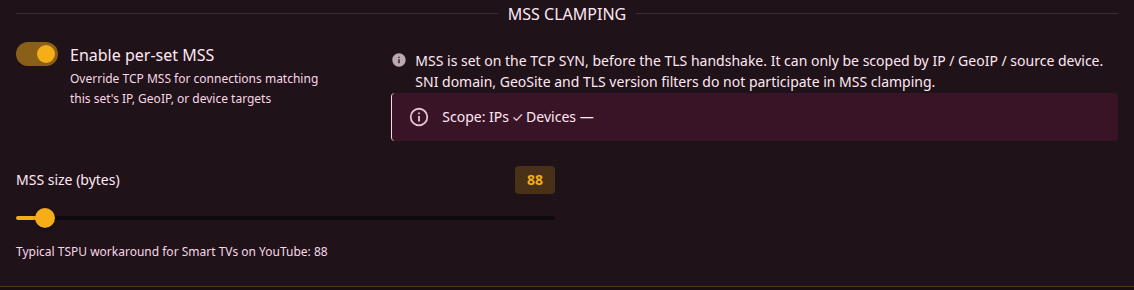
Limits the TCP Maximum Segment Size for connections this set covers. A smaller MSS makes the client's ClientHello arrive split across several segments, which some DPI cannot reassemble.
| Parameter | Description | Range | Default |
|---|---|---|---|
| Enable per-set MSS | Turn on MSS Clamping for this set | - | Off |
| MSS size | MSS size in bytes. Lower = more fragmentation | 10-1460 | 88 |
The MSS is written into the TCP SYN, which is the very first packet of a connection - long before the TLS handshake reveals which site is being visited. So this clamp can only be scoped by things the kernel already knows at SYN time: IP targets, GeoIP categories, ASNs and source devices. SNI domains, GeoSite categories and the TLS version filter play no part in it.
The switch stays disabled until the set has an IP, GeoIP, ASN or source device target. A set whose IP, GeoIP and ASN targets resolve to no addresses yet, such as an ASN not fetched yet or a GeoIP category missing from the file, installs no clamp until they do.
A source device discovered from the ARP table is matched by its MAC address; one you added by hand is matched by the IP address you entered for it, so such a device needs a fixed address to be usable as a clamp scope.
Which connections the clamp applies to depends on what the set is scoped by:
- Set scoped by IP, GeoIP or ASN: the clamp applies only to connections headed for those addresses.
- Set scoped only by source device: the clamp applies to every port 443 connection from those devices, wherever it is going - not just to the set's domains. That device's HTTPS is slowed across the board.
- Set with both: the clamp applies to connections from those devices and headed for those addresses.
If the goal is to slow one TV down on port 443, the per-device MSS column does the same job. A per-set MSS makes sense when the set carries IP, GeoIP or ASN targets to aim it at.
Enabling the switch fills the size in as 88 if it is empty. That is the smallest useful value and the usual TSPU workaround for smart TVs on YouTube, but it is an aggressive one - every segment carries at most 88 bytes of payload, so large downloads over a clamped connection are slow. Raise it if the connection works but crawls.
A per-set MSS takes precedence over the per-device and global settings for the connections it covers.