Without b4
DPI reads the name and resets the connection
b4 changes how packets of selected sites look to the provider’s DPI.
curl -fsSL https://raw.githubusercontent.com/ | shRun it over SSH as root.
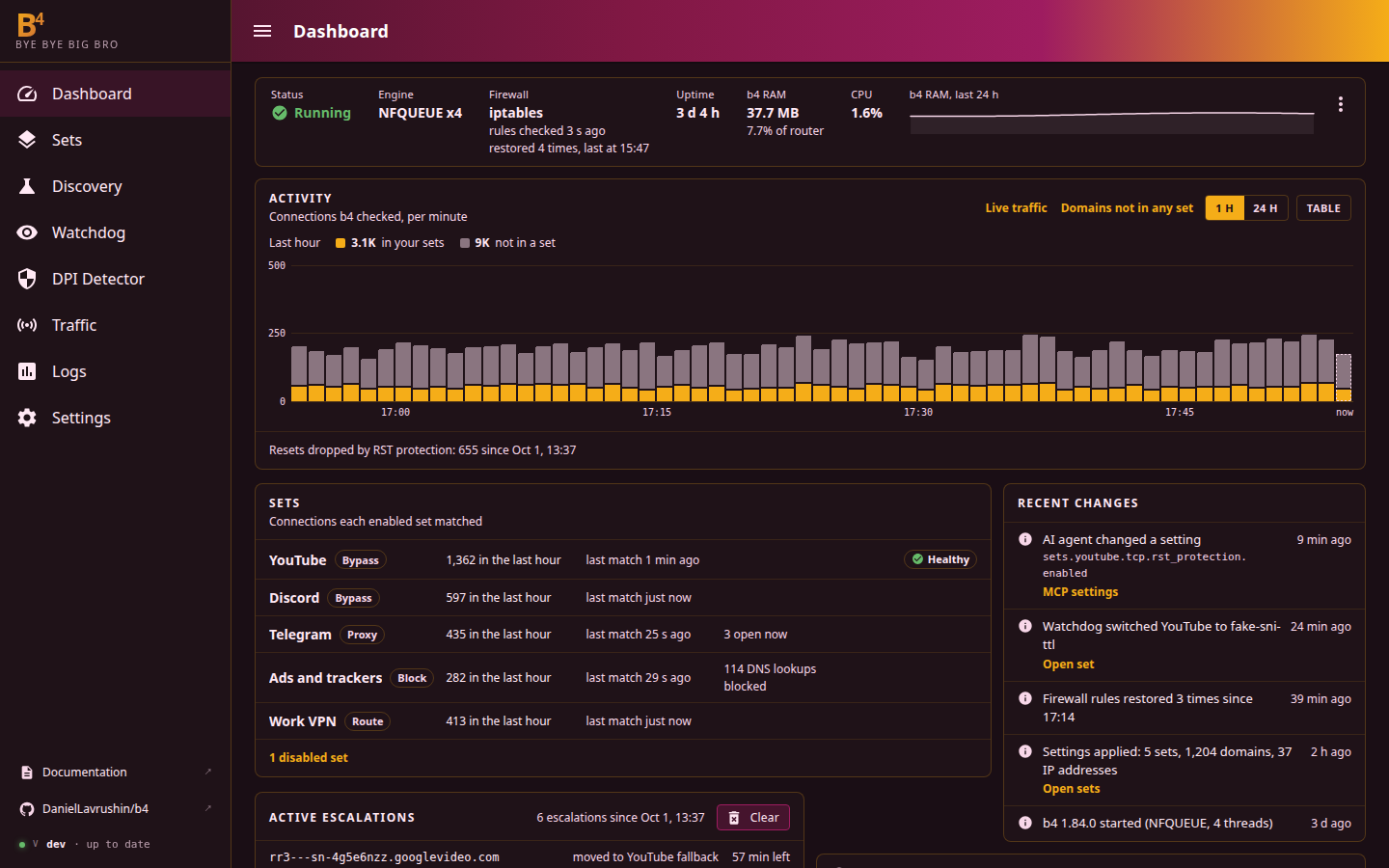
Providers that block sites with DPI read the site name from the first packets of a connection, and reset or slow down connections to sites on their list. b4 changes how those first packets look: it splits them, reorders them or sends a fake one ahead.
Without b4
DPI reads the name and resets the connection
With b4
The name arrives in pieces and the site gets the same request
Everything is configured as sets. A set is a list of sites, plus what b4 should do with their traffic.
Discovery tries b4's strategies on the router’s own connection and shows which one opens the site. The one that works can be saved as a set. A run takes 1 to 10 minutes.
How Discovery works
Installed on the router, b4 handles traffic from every device on the network: phones, TVs, consoles. A set can also apply to specific devices only.
Selecting devices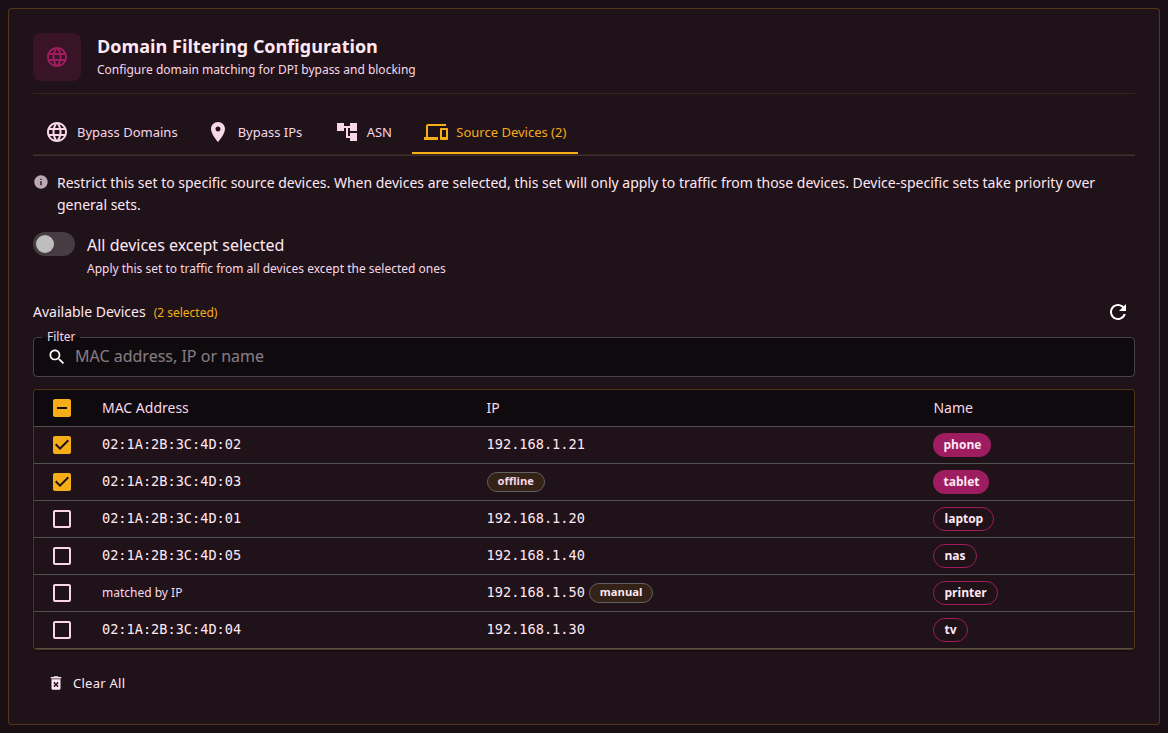
The watchdog re-checks a set’s sites on a schedule. If they keep failing, it runs Discovery for the set and switches it to the strategy it finds, or back to the old one if the sites still fail. It’s off by default.
Keeping sets working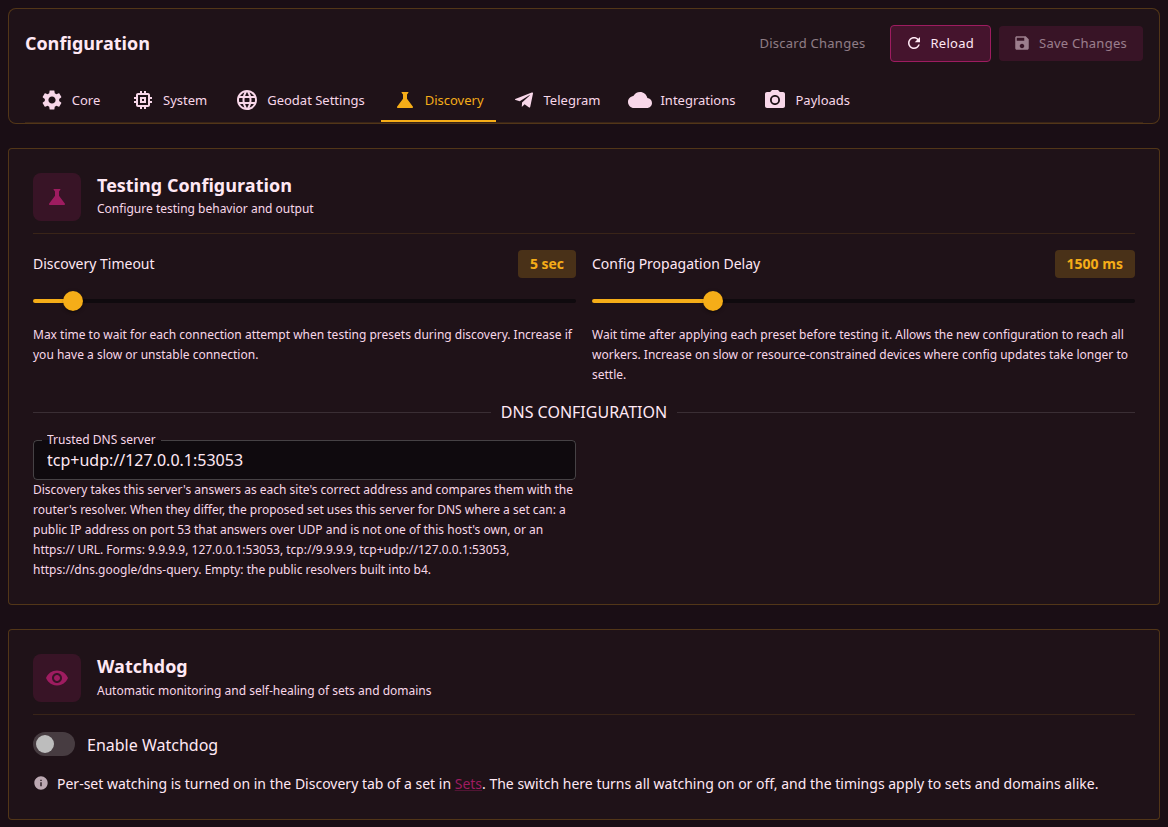
Sites blocked by IP can go through a VPN interface on the router, or through Xray, sing-box or any other SOCKS5 proxy. A block set drops ads and trackers for the whole network.
VPN and proxy routing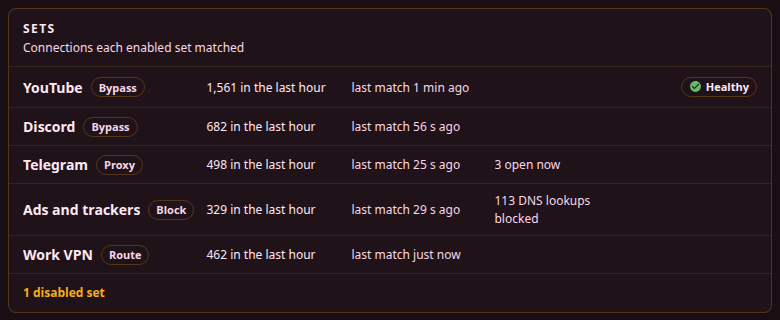
Dashboard, live traffic and logs on port 7000, in English or Russian. Changes to sets apply without a restart.
First steps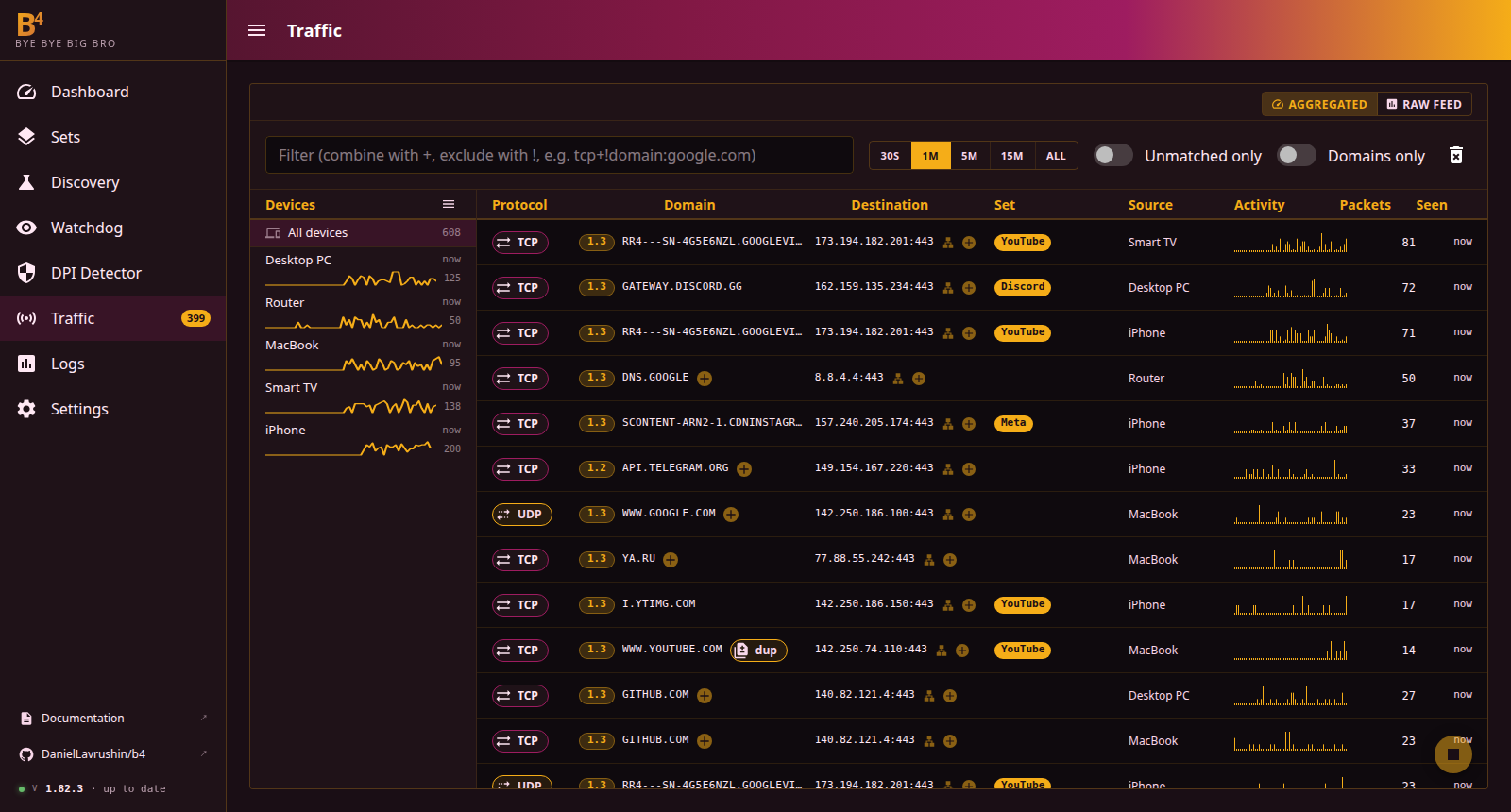
Sites that aren’t in a set work exactly as they did before b4 was installed.
OpenWrt, ASUS Merlin, Keenetic and other Linux systems use the same install script. On MikroTik and in Docker, b4 runs as a container.
Needs kernel 3.13 or newer, about 64 MB of free RAM, 30 MB of disk and root. Full requirements
Something not working after install? See Troubleshooting.
No. Traffic still goes straight to the site. b4 only changes how the first packets of each connection look to the provider’s DPI. If some sites need a VPN, a route set can send them through one that’s already running on the router.
OpenWrt 18.06+, ASUS Merlin, Keenetic, MikroTik with RouterOS 7.21.1+ (as a container), Linux computers and servers, and Docker on Linux. There are builds for 17 CPU architectures.
Linux kernel 3.13 or newer with NFQUEUE support, or the TUN engine where NFQUEUE is missing. About 64 MB of free RAM, 30 MB of disk and root access.
No. Connections that don’t match any set pass through unchanged.
If Discovery reports address blocked, the provider blocks the site’s IP addresses and changing packets won’t help. Such a site needs a set that sends it through a VPN or a SOCKS5 proxy.
Turn on the watchdog. It re-checks the sites of selected sets on a schedule, and when they stop opening it runs Discovery again and switches the set to a new strategy.
Yes. b4 has a built-in MTProto proxy, and a bridge that works with the regular Telegram apps.
Changes to sets don’t. They apply to the running service as soon as they’re saved.
Yes. A block set blocks ads and unwanted sites for the whole network.
Run the installer with --remove. It stops b4, removes its firewall and routing rules and the service, and asks before deleting the config.
Yes. It’s open source under GPLv3, and the code is on GitHub.
curl -fsSL https://raw.githubusercontent.com/ | shRun it over SSH as root.
MikroTik and Docker run b4 as a container, and the guide covers both.
1.93.0Released November 21, 2026Run the install command over SSH as root. It detects the platform and the CPU architecture.
Open the web interface on port 7000, go to Discovery, enter a site that doesn’t open and press Start.
First stepsPress Apply as a set on the result. The Traffic page then shows the set’s name next to that site’s connections.
Sets