Publishing a set
A set is published from the set editor. The Share with other b4 users section is at the bottom of the Import/Export tab and is shown while the Community Hub is on. It prepares the set as a shared set, the JSON form that can be handed to someone directly, and publishes that same form to the hub.
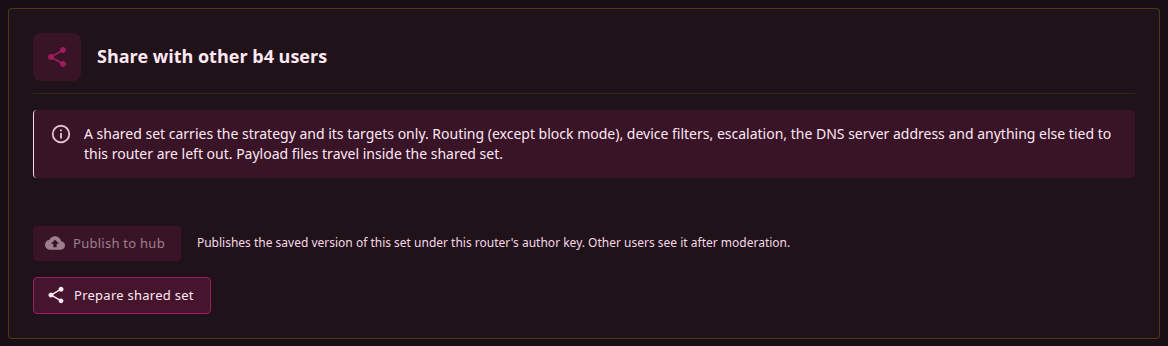
Preparing
Prepare shared set builds the shared set from the editor state and shows:
- Check before sharing: domains or addresses that look private to this network, pins that everyone importing the set will use, a DoH resolver outside the public list, a payload file that is missing or unusable, a block set that matches by pattern, more domains, addresses or ASNs than a shared set carries.
- Left out of the shared set: every setting that was dropped and why. Routing to a proxy or an interface, device filters, escalation and the DNS server address are always dropped; the full list is under What leaves the router.
- The b4 version the set needs and the number of payload files included.
- The JSON, with Copy and Download.
The same shared set is used for publishing and for handing over as a file.
A published set is best limited to the targets it was tested on. A domain the set lists without having been tried against it collects broken reports.
Publishing
Publish to hub sends the saved version of the set. A new set has to be saved first; unsaved changes are not published, and the button says so. The published title is the set name; the router sends no description of its own. A moderator can add one on the hub, and it then appears on the card and under Details.
The hub runs the checks of an import, refuses a set with no targets, stores the payload files by hash and answers with the hub id and the version. The set enters the moderation queue with the status pending moderation. Other users, and this router, see it in the catalogue after a moderator approves it and the next catalogue is built and synced. The section shows the id and the status and offers Open in Community; until the set is in the local catalogue, that opens the details dialog with a note saying so.
The set is now linked to the hub set the same way an applied set is: the card on the Sets page shows Community set, and the Share section names the hub set and version it is linked to.
Versions
Publishing a linked set again, after its strategy changed, creates the next version of the same hub set. The button reads Publish as new version. The catalogue carries the newest approved version only; routers that applied the previous version see Update to version N on their card.
The hub attaches a publication to an existing set of the same author when:
- the set is linked to a hub set published under this router's author key;
- the set is not linked, or is linked to another author's set, and this author already has a set with the same targets, or with the same title and at least one target in common.
Otherwise the hub creates a new set. When the published set started as another author's community set, the hub records which one.
A publication whose strategy and targets both match a version the hub already holds, by any author, is not stored. A version still waiting for a moderator and a version a moderator has hidden count as well; only rejected ones are passed over. The hub names the existing set and counts the upload as a works report for it, so the set it names is not always one the catalogue lists.
Moderation
Every version waits for a moderator. The moderator sees the set as it would be imported, approves it, rejects it, or hides it later, and reads the complaints about it. A rejected or hidden version leaves the catalogue at the next build. Routers that applied it keep it.
There is no notification of the decision. Open in Community reports the set as not in the catalogue until it is approved and synced.
The hub accepts a limited number of publications from one router per day. The limit is set by the hub operator; a publication over it is refused with a message that names the limit and the time it resets.
Author identity
Every record a router sends to the hub is signed with its author key. The key is generated on first use and kept as .hub/identity.json in the configuration directory. The hub knows the router by this key: the sets it published belong to it, its reports count as one router, and the moderators can mark it trusted, which lifts the daily limits on it, or ban it.
In the catalogue the author of a set is an author label, not the key id: a short pseudonym the hub derives from the author key with a secret of its own. Every set published under the same key carries the same label, the key itself is never published, and a label built by one hub does not match the label another hub builds for the same key.
Settings, Integrations, Community Hub, Author identity shows the key id and two actions:
- Show recovery code displays the code the key is rebuilt from. Anyone with the code can publish and report as this author.
- Restore from code replaces the key of this router with the one the code describes. The sets published under that key can then be versioned from this router, and the reports carry the age of that key on the hub.
A backup made under Settings, System, Backup does not include the .hub/ directory. A router restored from a backup starts with a new key, which carries the reduced weight the hub gives keys younger than a week. The recovery code is the way to carry the identity to another router.